

Overview
Skills teach your agents how to perform a task. Instead of starting from a blank document, you can build a skill from a template — a ready-to-edit outline for a common workflow, such as a payer enrollment or credentialing process. This guide walks through creating a skill from the BCBS North Carolina Individual Practitioner Enrollment template.Step 1: Open the Skills page
From the sidebar, click Skills, then click the + New skill button in the skills panel.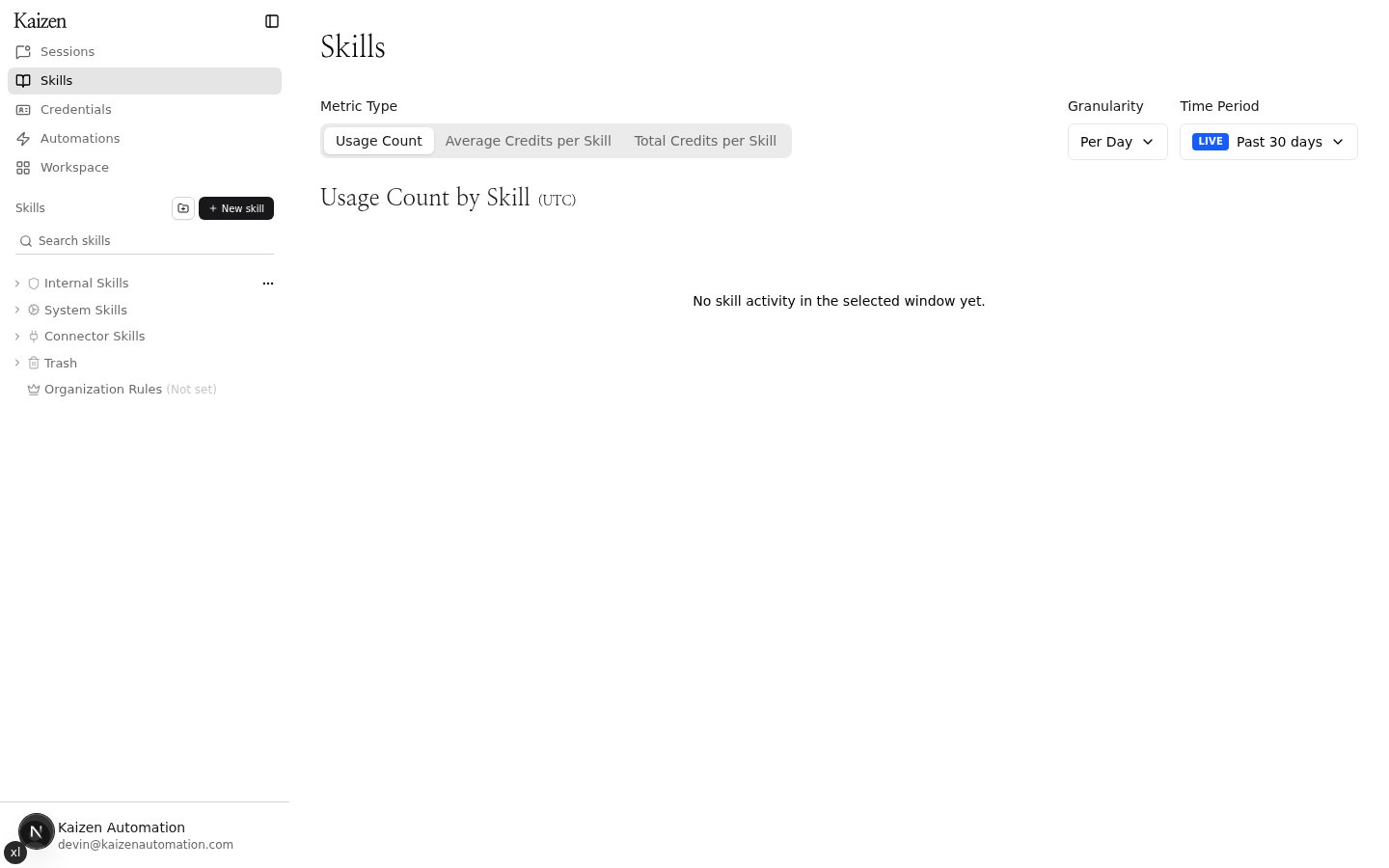
Step 2: Browse the template catalog
The Create a skill dialog opens with the template catalog. You can start blank or pick a template — everything stays editable after the skill is created. Use the search-friendly list to scroll through templates, or narrow it down with the tags at the top. Click +N more to expand the full list of tags.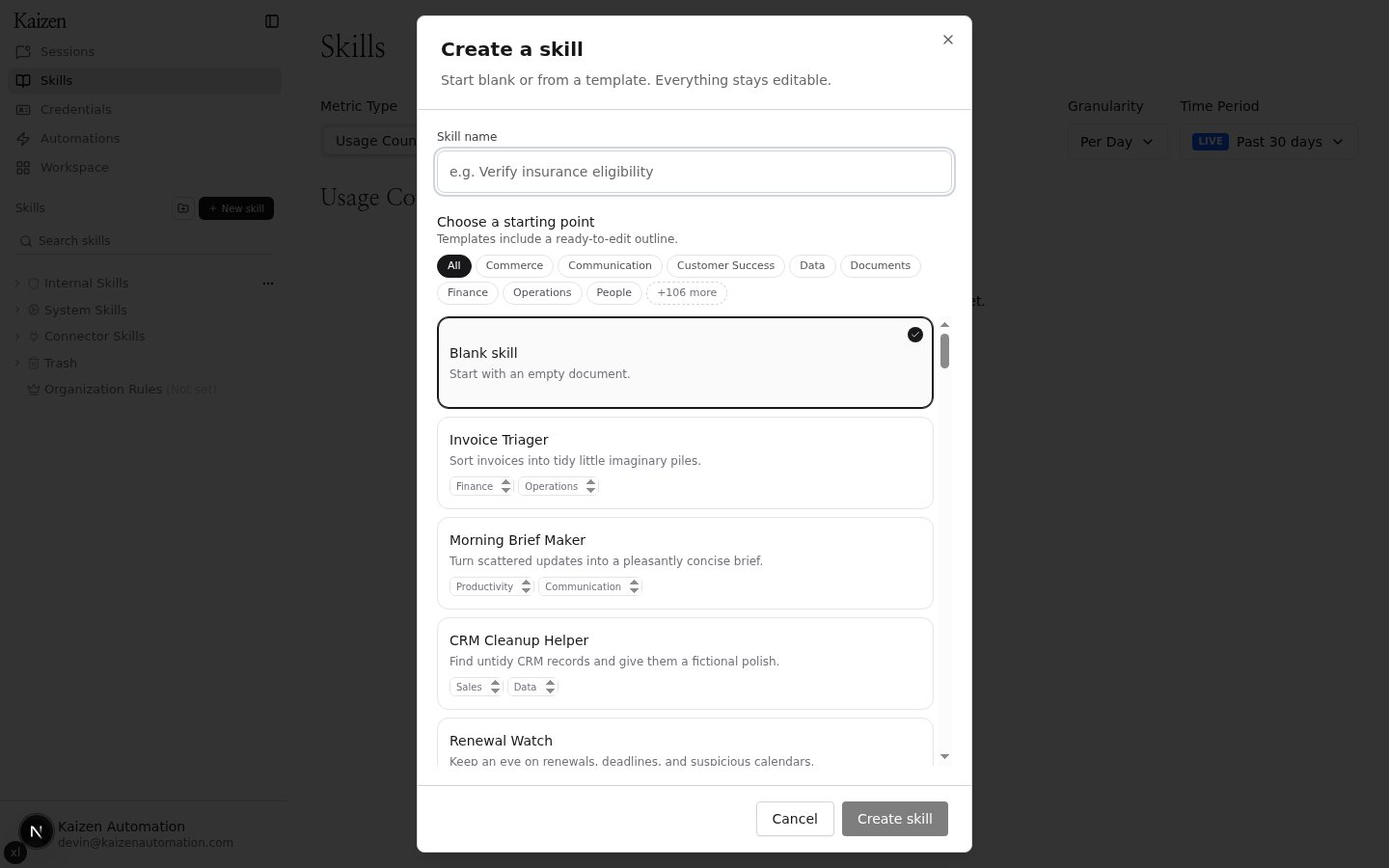
Step 3: Filter by tag
Click a tag to show only matching templates. For example, selecting payer-enrollment narrows the catalog to payer enrollment templates like the BCBS provider enrollment workflows.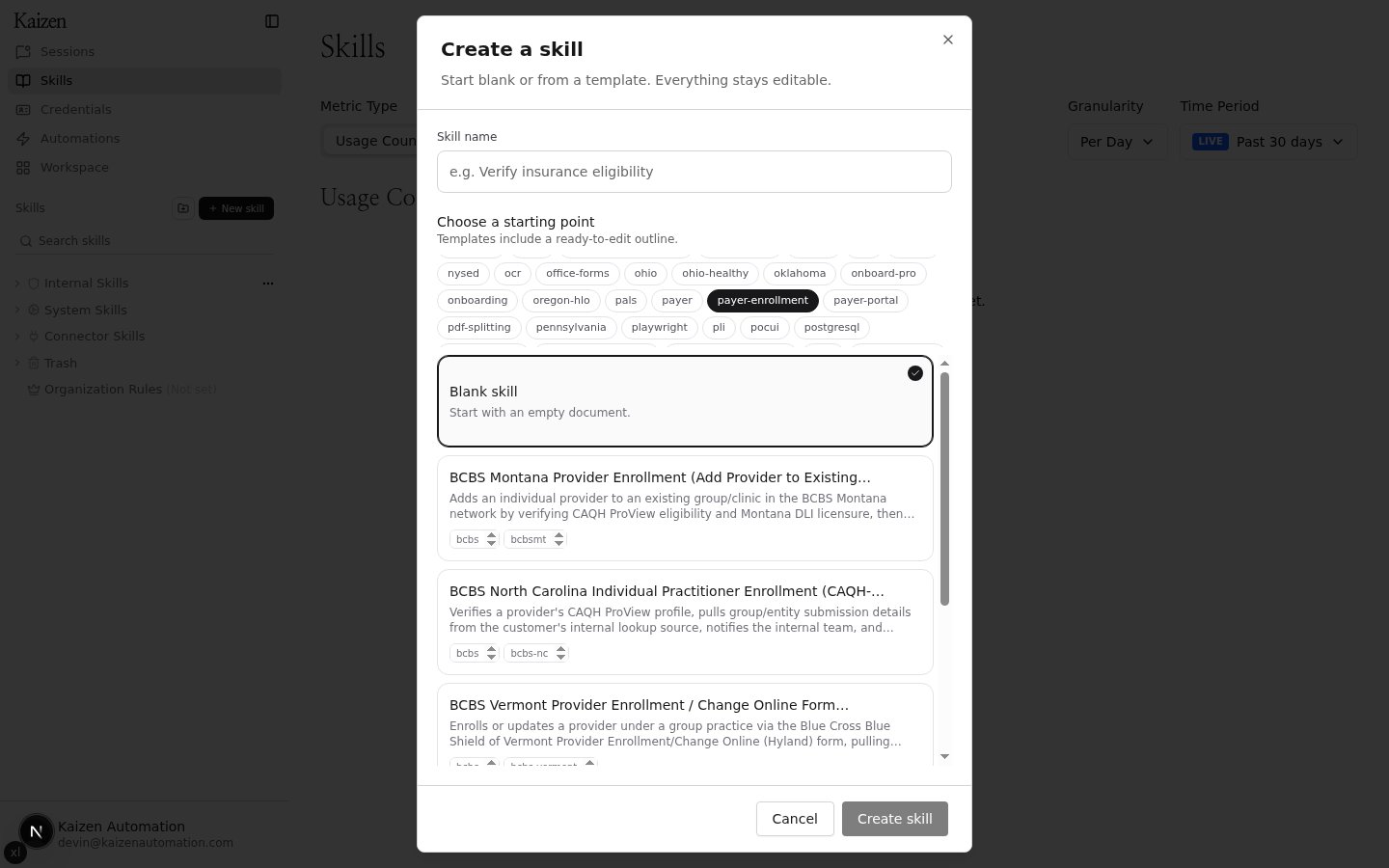
Step 4: Preview the template
Click a template to select it. A preview opens showing the template’s purpose, variables, and step-by-step outline, and the skill name is pre-filled with the template name — edit it if you want a different name.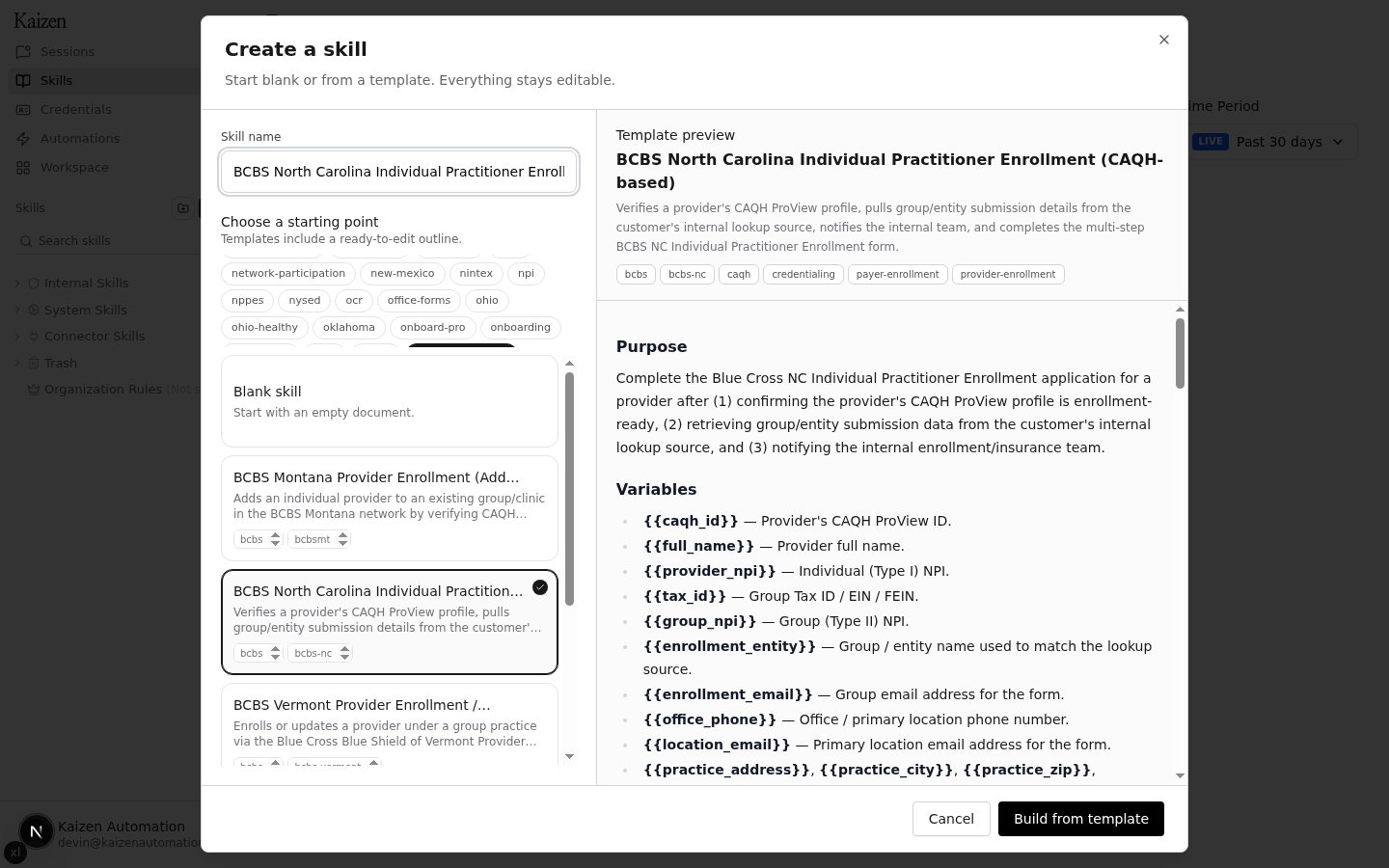
Step 5: Build the skill
Click Build from template. A new agent session opens in plan mode: the agent picks up the template and starts drafting the skill from its outline.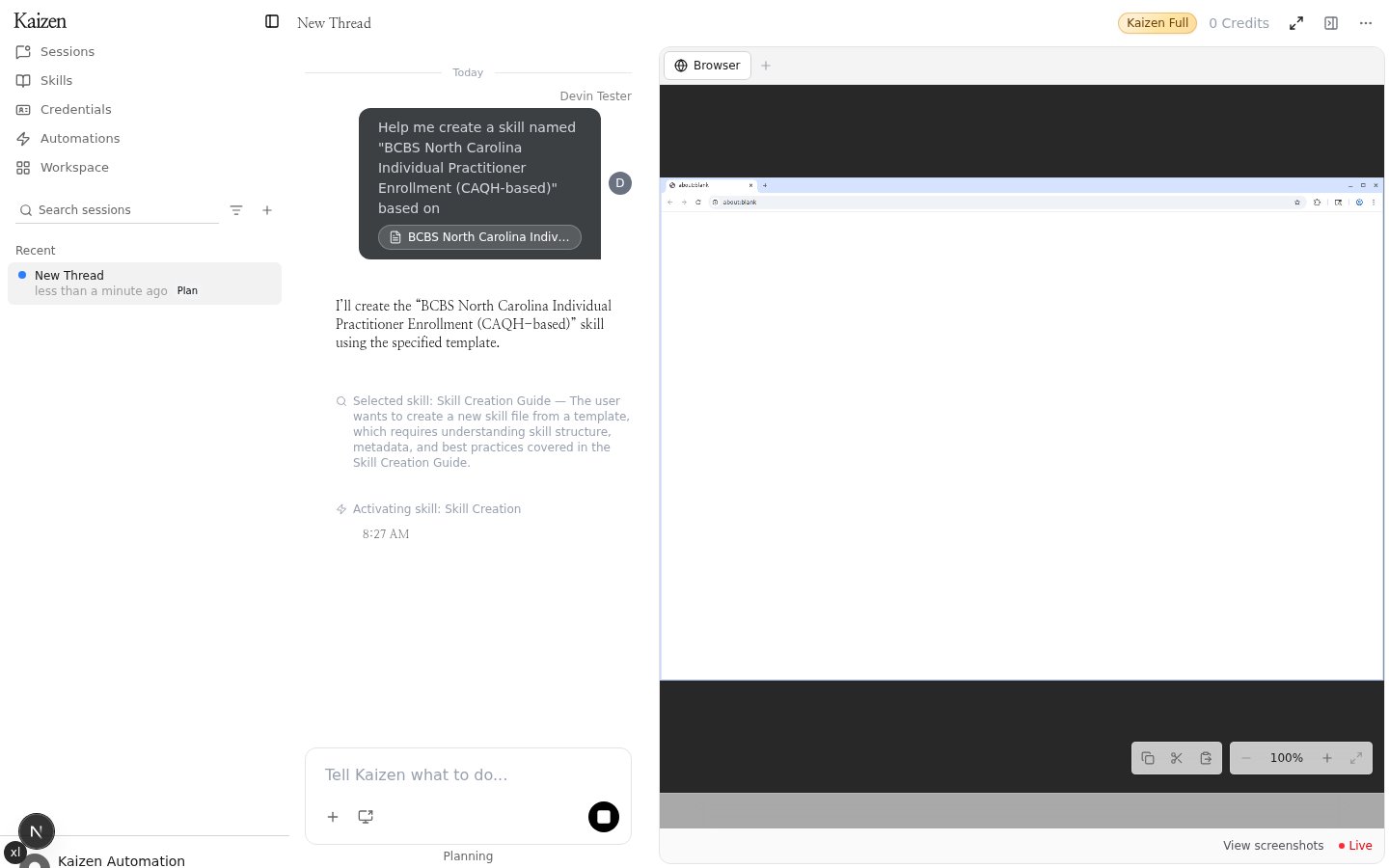
Tips
- Templates are starting points — every section of the generated skill remains editable.
- Tags can be combined with scrolling the catalog to quickly find the
right workflow (for example
credentialing,provider-enrollment, or a specific payer). - If none of the templates fit, choose Blank skill to start from an empty document instead.