> ## Documentation Index
> Fetch the complete documentation index at: https://docs.kaizenautomation.com/llms.txt
> Use this file to discover all available pages before exploring further.
# Creating a Skill from a Template
> Learn how to create a new skill from one of the built-in templates, using a payer enrollment template as an example.
## Overview
Skills teach your agents how to perform a task. Instead of starting from a blank
document, you can build a skill from a template — a ready-to-edit outline for a
common workflow, such as a payer enrollment or credentialing process. This guide
walks through creating a skill from the **BCBS North Carolina Individual
Practitioner Enrollment** template.
## Step 1: Open the Skills page
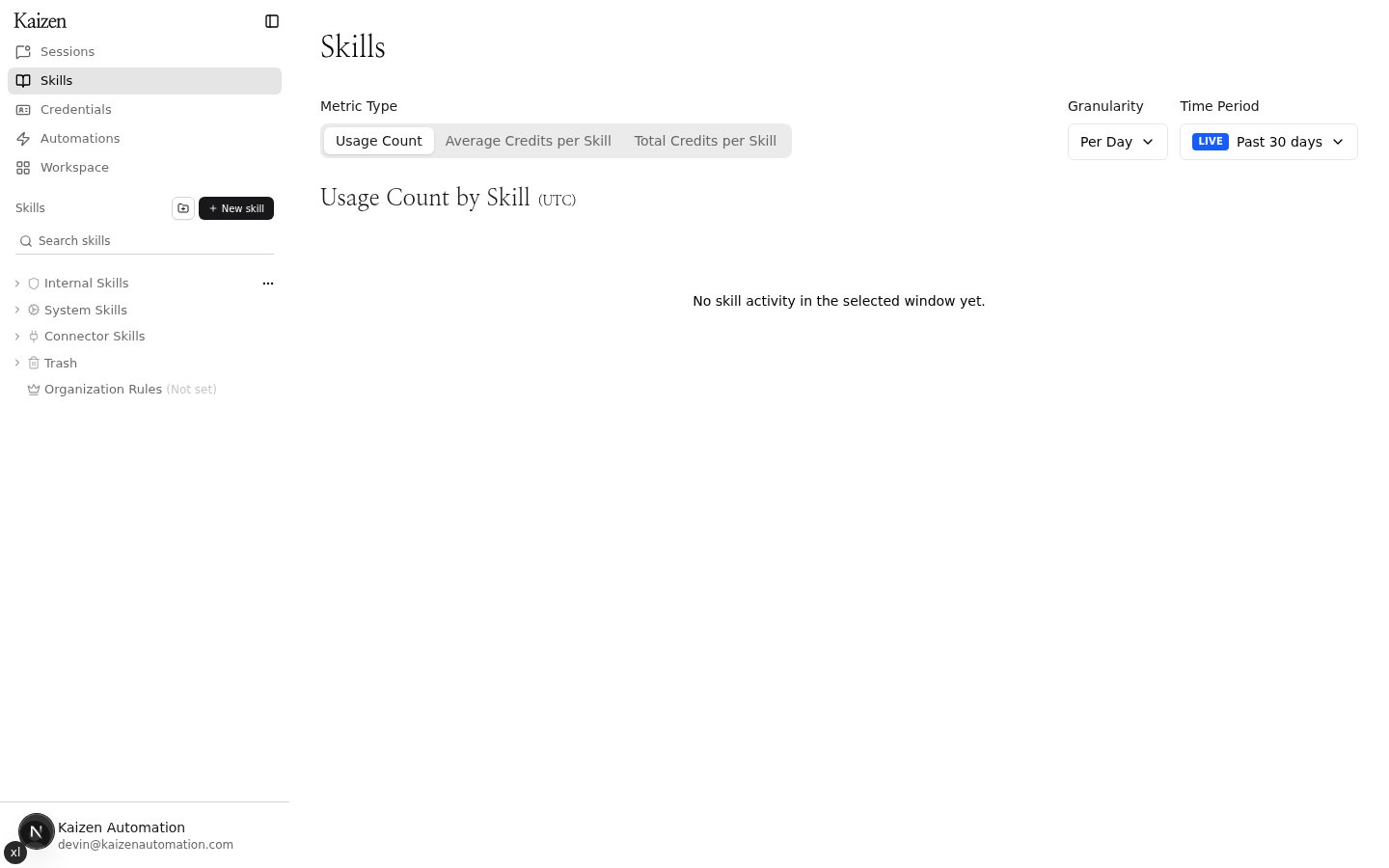
From the sidebar, click **Skills**, then click the **+ New skill** button in the
skills panel.
 ## Step 2: Browse the template catalog
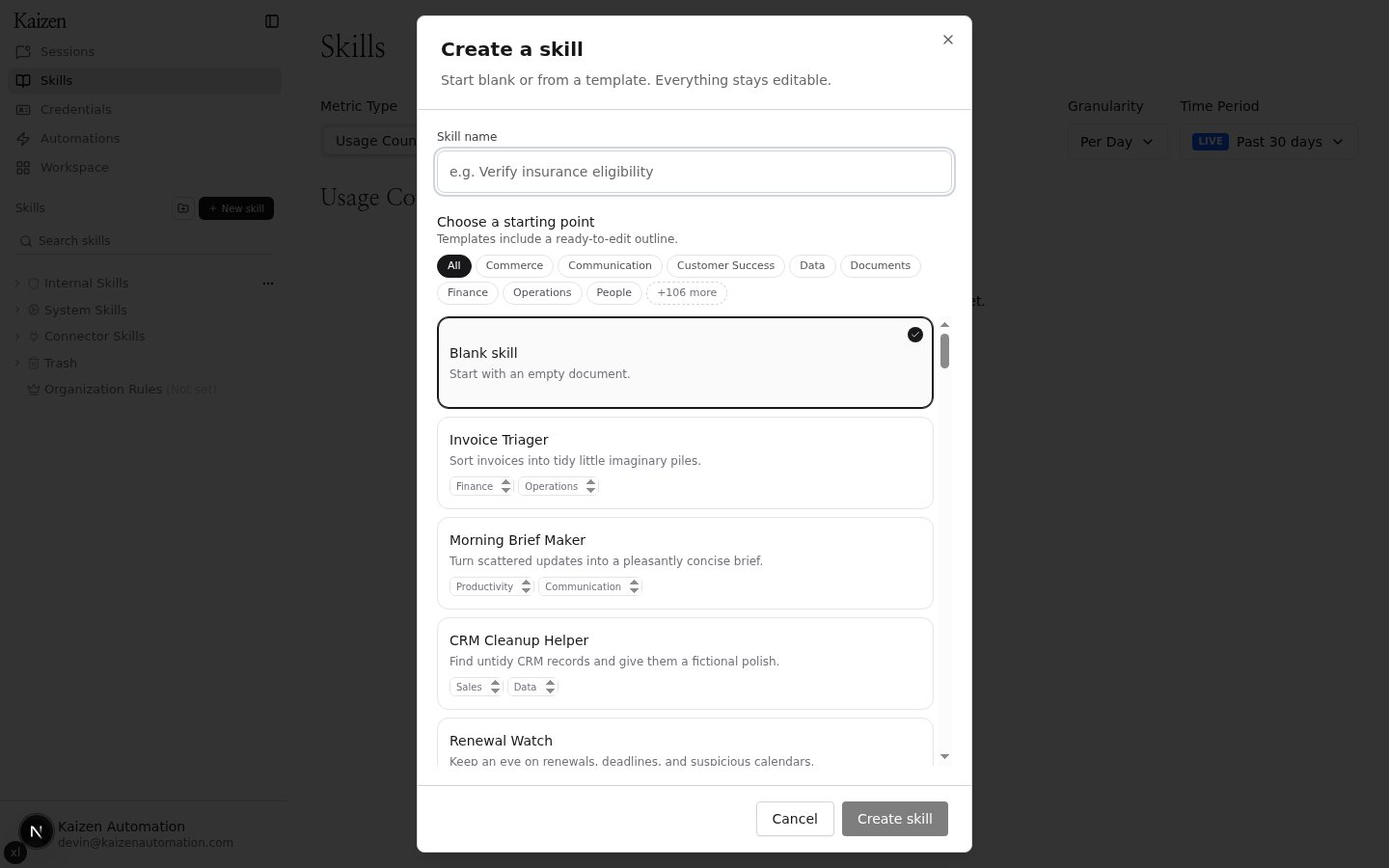
The **Create a skill** dialog opens with the template catalog. You can start
blank or pick a template — everything stays editable after the skill is created.
Use the search-friendly list to scroll through templates, or narrow it down with
the theme tags at the top. Click **+N more** to expand the full list of themes.
## Step 2: Browse the template catalog
The **Create a skill** dialog opens with the template catalog. You can start
blank or pick a template — everything stays editable after the skill is created.
Use the search-friendly list to scroll through templates, or narrow it down with
the theme tags at the top. Click **+N more** to expand the full list of themes.
 ## Step 3: Filter by theme
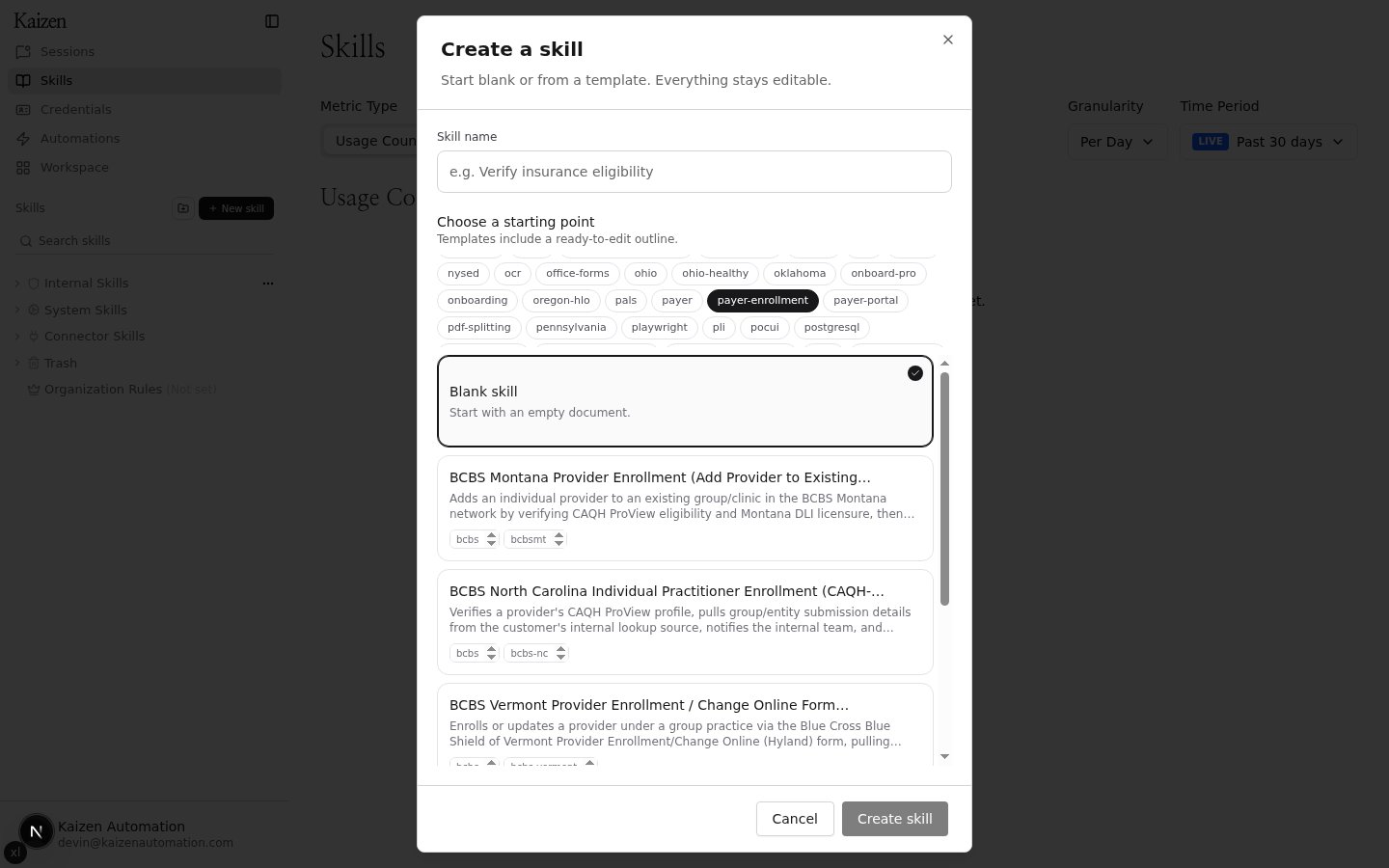
Click a theme tag to show only matching templates. For example, selecting
**payer-enrollment** narrows the catalog to payer enrollment templates like the
BCBS provider enrollment workflows.
## Step 3: Filter by theme
Click a theme tag to show only matching templates. For example, selecting
**payer-enrollment** narrows the catalog to payer enrollment templates like the
BCBS provider enrollment workflows.
 ## Step 4: Preview the template
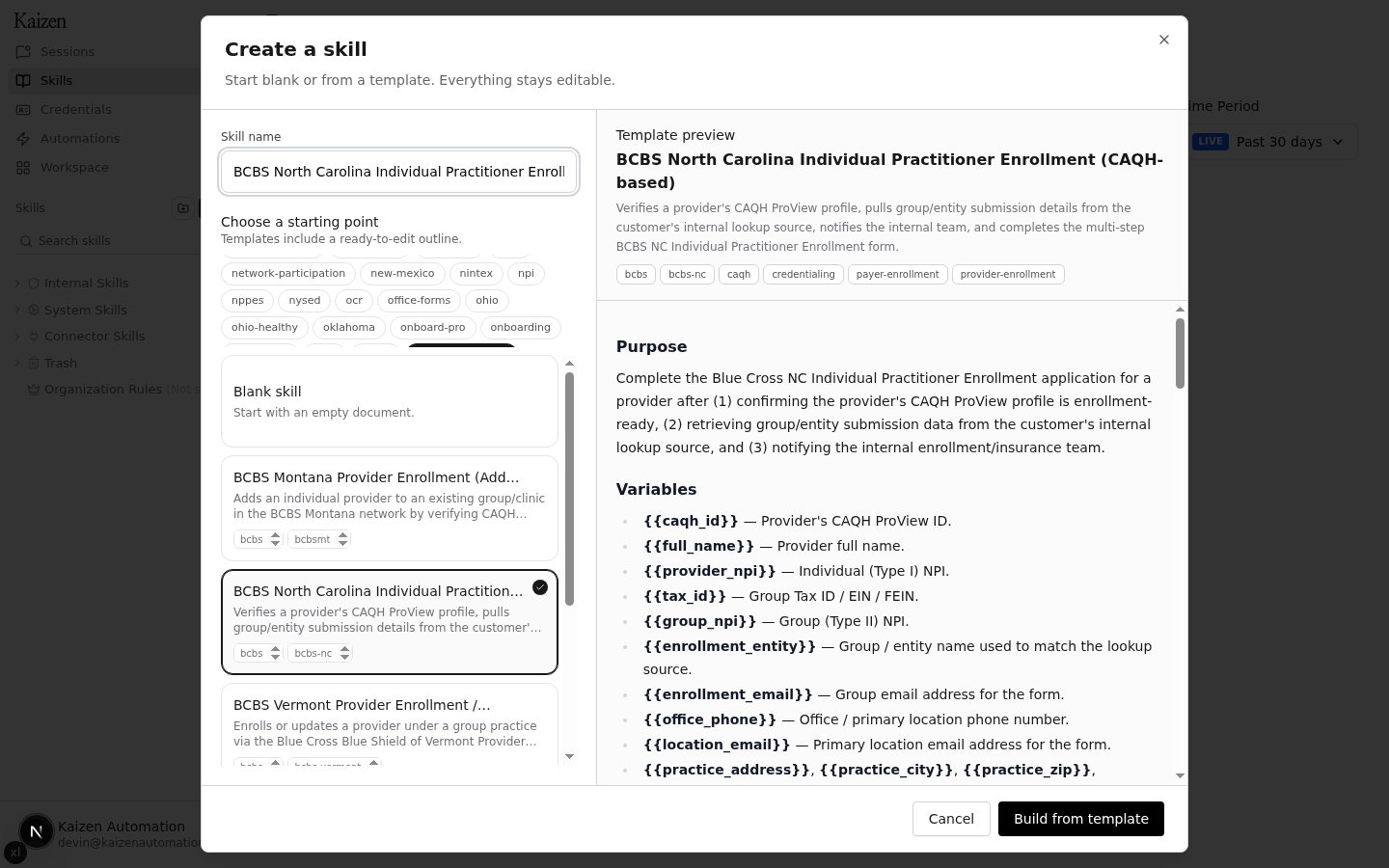
Click a template to select it. A preview opens showing the template's purpose,
variables, and step-by-step outline, and the skill name is pre-filled with the
template name — edit it if you want a different name.
## Step 4: Preview the template
Click a template to select it. A preview opens showing the template's purpose,
variables, and step-by-step outline, and the skill name is pre-filled with the
template name — edit it if you want a different name.
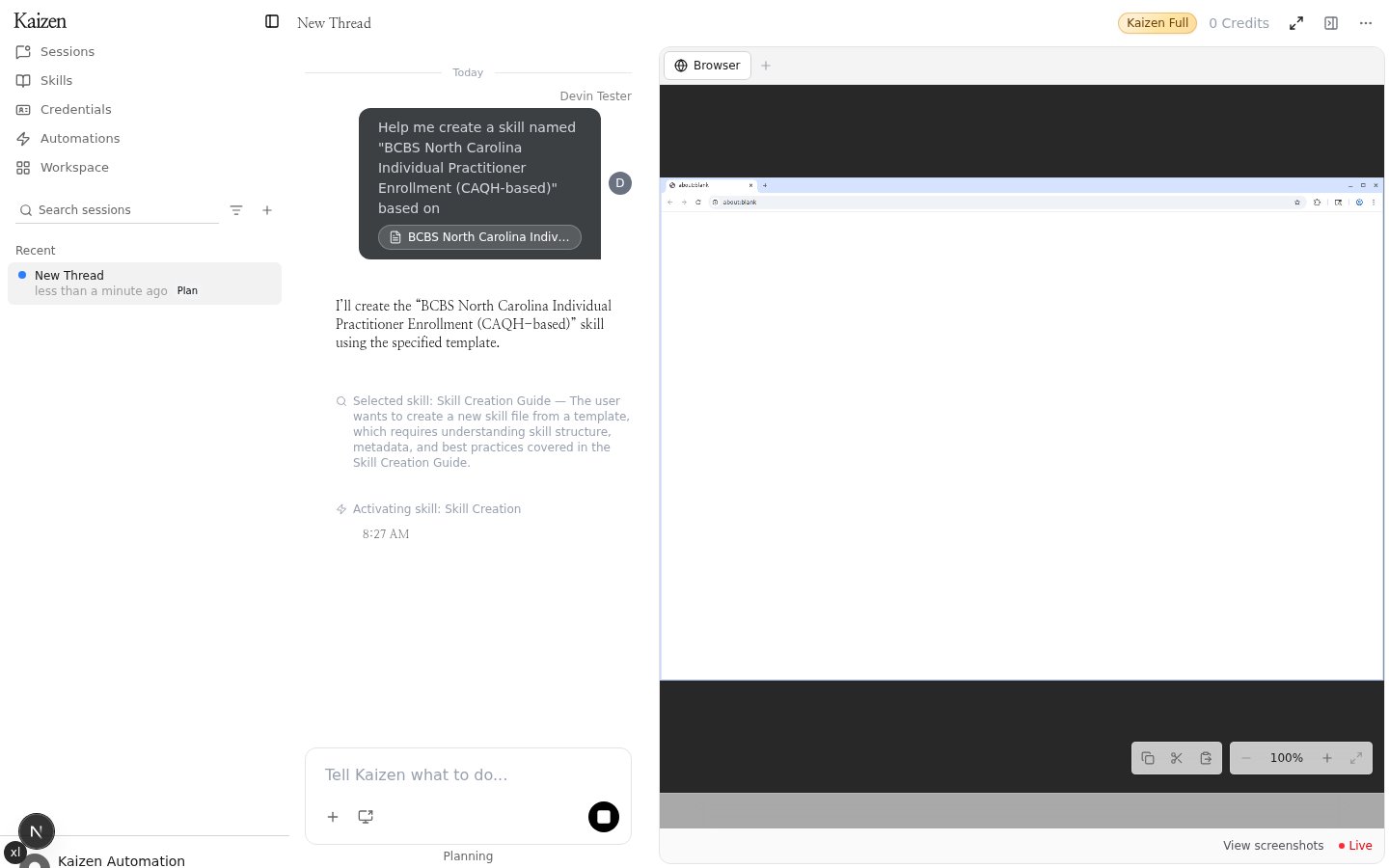
 ## Step 5: Build the skill
Click **Build from template**. A new agent session opens in plan mode: the
agent picks up the template and starts drafting the skill from its outline.
## Step 5: Build the skill
Click **Build from template**. A new agent session opens in plan mode: the
agent picks up the template and starts drafting the skill from its outline.
 Once the agent finishes, the new skill appears in your skills list. From there
you can review the draft, tweak the steps, and fill in any
organization-specific details before putting the skill to work.
## Tips
* Templates are starting points — every section of the generated skill remains
editable.
* Theme tags can be combined with scrolling the catalog to quickly find the
right workflow (for example `credentialing`, `provider-enrollment`, or a
specific payer).
* If none of the templates fit, choose **Blank skill** to start from an empty
document instead.
Once the agent finishes, the new skill appears in your skills list. From there
you can review the draft, tweak the steps, and fill in any
organization-specific details before putting the skill to work.
## Tips
* Templates are starting points — every section of the generated skill remains
editable.
* Theme tags can be combined with scrolling the catalog to quickly find the
right workflow (for example `credentialing`, `provider-enrollment`, or a
specific payer).
* If none of the templates fit, choose **Blank skill** to start from an empty
document instead.